
How to Search Cases by Name
The free starting point is New Mexico Case Lookup. It asks for no registration and returns docket summaries across several court levels. Expect a summary, though, not the full document file. Names go in the official legacy order: last, first, middle, with no commas or periods. Several Quay County results may look alike at first. Court location and case category narrow things down fast.
- Open New Mexico Case Lookup and select the Name Search function when a case number is not available.
- Enter the known name in last, first, middle order. Add a date of birth or other official field only when it is available and appropriate.
- Use Court Type, Court Location, Case Category, and the date controls to narrow the Quay County results instead of assuming every matching name is the same person.
- Open the matching public case result and read the case number, style, category, and event information before relying on the docket summary.
The older official field inventory remains useful for understanding the public search model.
| Field label | Type | Required | Official format or use |
|---|---|---|---|
| Name | Text | No | Enter last, first, middle with no commas or periods. |
| Driver Lic. # and state | Text and selection | No | Optional narrowing fields in the legacy public interface. |
| Date of Birth | Date | No | Optional identifier when known. |
| Case number limit | Checkbox | No | Limits the result set to case numbers with a value. |
| Court Type and Court Location | Selection | No | Useful for separating Quay County court levels from other results. |
| Case Category | Selection | No | Applies a case-type filter. |
| Date range | Checkbox and dates | No | Choose Filing Date or Hearing Date, then enter Date From and Date To. |
| Results per page | Selection | No | Controls how many result rows display at once. |
The official legacy Case Lookup field page lays out the exact search fields behind this Quay County name-search model.
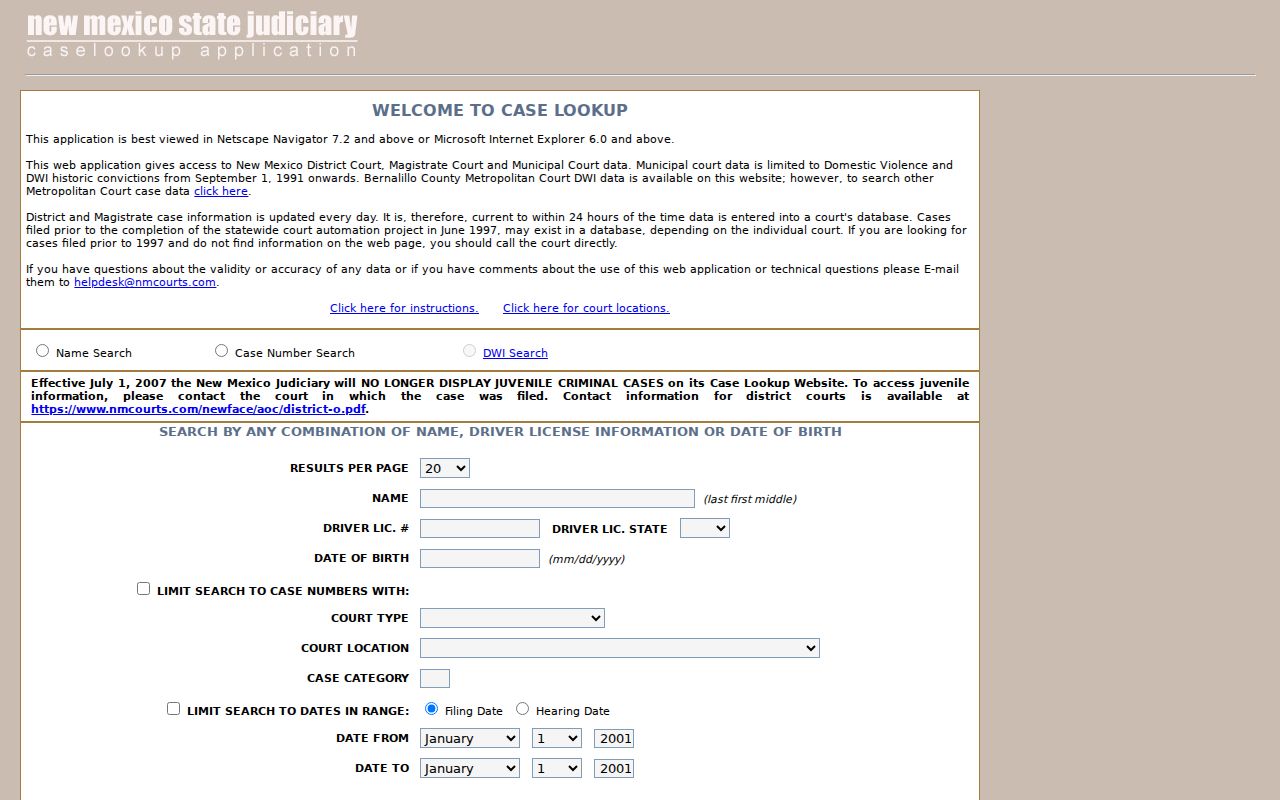
Those fields explain why court and category filters matter. Narrow a Quay County name result before trusting it as the case you want.
Quay County Case Lookup Start
Quay County District Court has no separate online search application of its own. The Tenth Judicial District sends the public to the statewide Case Lookup. It also posts a hearing schedule. Start there: take the public result. Check the schedule for a hearing coming up soon. Then call the clerk or file a Judicial IPRA request whenever the file itself is not online. Case Lookup sometimes asks for JavaScript or a CAPTCHA. Its public result is still just a docket summary. A document behind an entry may sit with the right clerk. It may need an eligible registered account or another authorized route. District files stay with Quay County District Court. Magistrate and municipal matters belong to their own clerks. The New Mexico Case Lookup entry screen is the no-registration public layer.
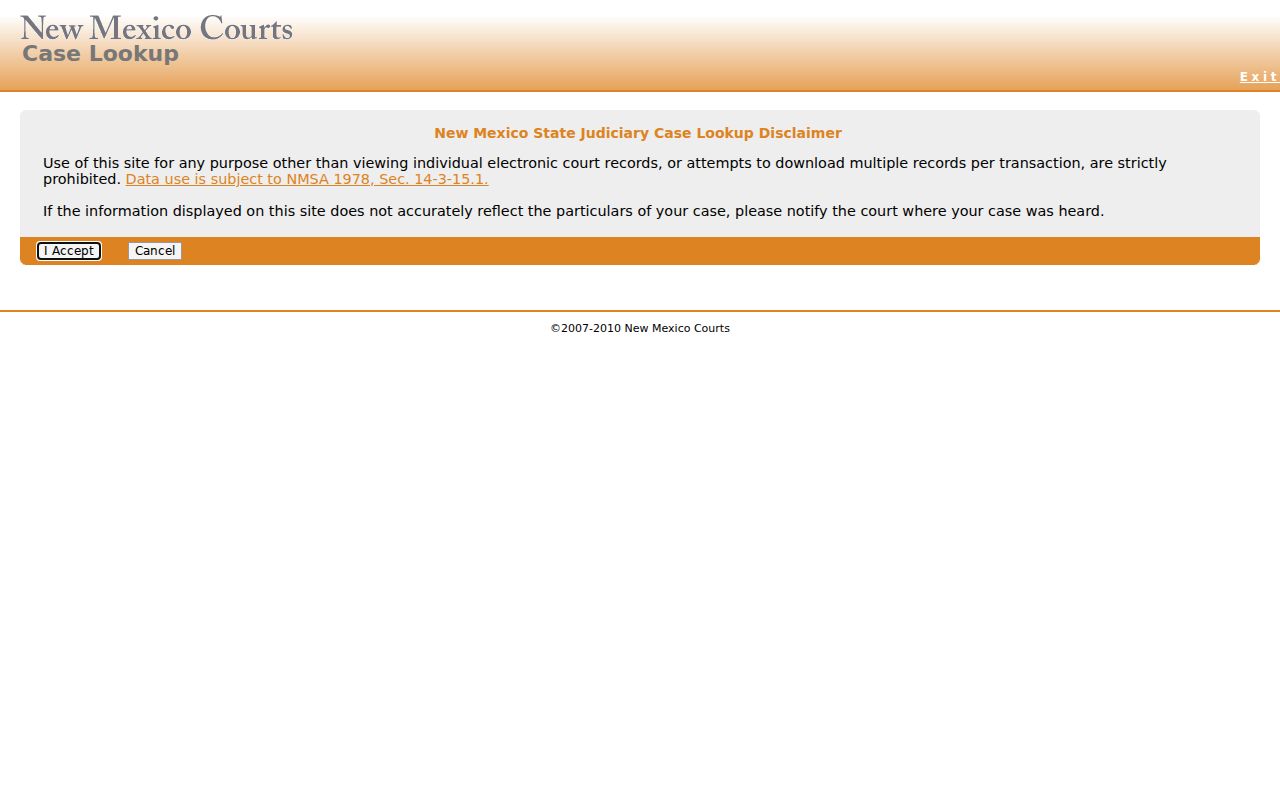
Public access covers Quay County case searches; how much you see depends on the court and its access rules.
How to Search by Case Number
A case number is often the cleanest Quay County lookup key. It packs in the court type, location, category, year, and sequence all at once. Type it exactly as printed before trying anything else. The statewide instructions use D-101-CR-200600001 as their legacy example. It is teaching material only, not a Quay County number to copy into a search. Older files can carry different year and zero patterns. If a search fails, go back to the printed number or ask the clerk. The instructions also list 1010 or 1027 as Tenth Judicial District location examples. Treat those as samples. Never build a current Quay segment out of them. Read whatever number the court actually returns. Then use the prefix and category to separate it from a similar name. Entering the printed case number first is the habit. It keeps a formatting example from becoming a false Quay County identifier.
Quay County Case Number Codes
That first court letter routes a Quay County result. Under the older instructions, D points to District Court. M points to Magistrate Court, U to Municipal Court, and T to Metropolitan Court. From there, CR means criminal, TR means traffic, and CV means civil. For an older, restricted, or odd docket, the clerk still gets the final word.
- D
- District Court, the general-jurisdiction Quay County trial court.
- M
- Magistrate Court, the Quay County lower trial court for matters within its jurisdiction.
- U
- Municipal Court, a city-level court prefix that can matter for a Tucumcari case.
- CR, TR, and CV
- Legacy category codes for criminal, traffic, and civil matters.
- Register of actions
- The chronological event view attached to a case when public access allows it.
A Quay County mailing address does not tell you who holds the case. Confirm the named court before mailing anything. District Court, Magistrate Court, Tucumcari Municipal Court, and the Quay County Clerk each carry different duties.
Quay County Case Lookup Date Range Controls
The legacy date-range controls can tighten a Quay County Case Lookup name search. Turn on the control that limits the search to a date range. Pick Filing Date or Hearing Date. Fill in both Date From and Date To. Filing Date pulls cases opened in that window; Hearing Date pulls scheduled events. They answer different questions, and an older matter with later settings makes the difference plain. When the exact date is fuzzy, use a broad, supportable interval. Then compare the court location, category, and returned case number before calling a Quay County result a match. A blank result after a date-limited search often means the interval was too narrow. It does not mean the case is gone. Clear or widen the dates. Confirm the court on the notice instead of guessing from a similar name.
What a Case Search Shows
A Quay County result is a case-information and docket-summary view, not the whole file. It can identify the case. It can also locate an event and check a hearing date against a notice. Which fields appear depends on the result and your access tier. Eligible re:Search NM users get broader result and detail fields.
| Case number | The court, location, category, year, and sequence identifier returned for the case. |
|---|---|
| Case style | The caption or descriptive case style used to help distinguish the matter. |
| Case category or type | A public classification such as the legacy CR, TR, or CV category, or a more specific re:Search type. |
| Filing date | The date the case was first opened in the older Case Lookup instructions. |
| Hearing or event | A scheduled hearing or chronological action when the selected layer makes it available. |
| Judicial officer | A judge field when it appears in a result or hearing detail. |
| Disposition or status | Public outcome or status information when entered and available. |
| Warrant flag | A displayed case-detail field that should not be read beyond the record shown. |
The fields help you identify a Quay County case. Still, the public result carries timing gaps, omissions, and access restrictions.
Quay County Case Lookup Zero-Result Steps
A blank result from a Quay County case lookup rarely settles the question. Search problems cause most zero-result screens. Check the spelling first. Then confirm the court location, the category, and the date range. Also check the printed case number itself. In registered re:Search NM, a zero result can also reflect the user's profile. It may stem from registration timing or a restriction. Registration may take up to 30 days, the judiciary warns. The no-registration public layer can likewise omit records that are restricted. Some simply sit outside its coverage.
Call the court indicated by the number itself. The Quay District Court clerk answers at 575-461-2764 and tenthjdcpublic@nmcourts.gov. Quay Magistrate Court can be reached at 575-461-1700 and qcmc-grp@nmcourts.gov. Offer the printed number, the party name, and the approximate year. Ask whether a public file, a register-of-actions printout, or a copy-request path is open to you. When the online search comes up short, a reasonably particular Judicial IPRA request may fit the situation. It still cannot override a seal or confidentiality rule.
Quay County Case Lookup Register of Actions
New Mexico labels a Quay County event history several ways: docket, docket summary, case events, case detail, or register of actions. The register of actions lists each action in sequence. It is not the full document file, though. A document can be linked in re:Search NM. The no-registration Case Lookup layer never provides the document itself.
Inside re:Search NM, searches run by attorney, category, number, status, type, filing date, judge, location, or party. Access runs on registration, user profile, and confidentiality tiers. Registration may take up to 30 days. A zero result can reflect timing, a profile problem, or a restriction.
The judiciary identifies the registered re:Search NM portal as its separate, richer-access layer.
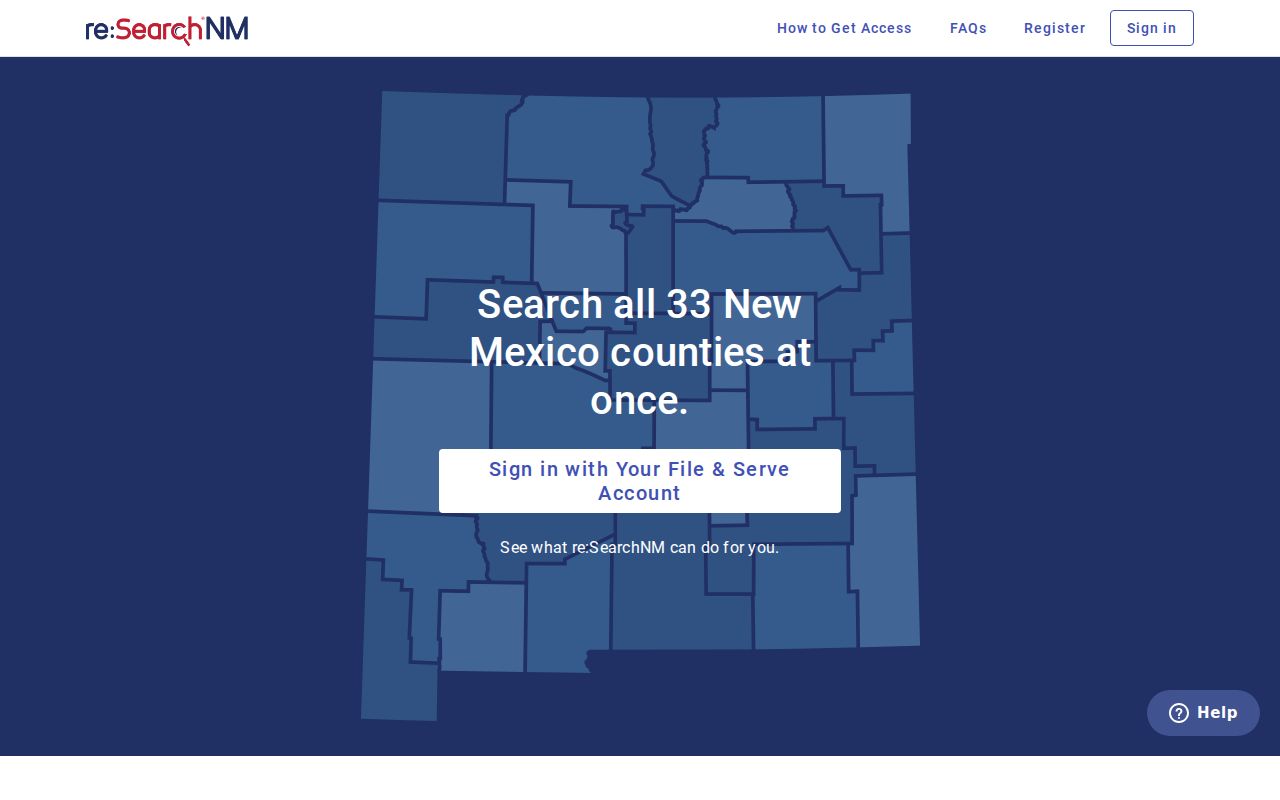
The portal opens with a login and help entry point. That screen is not a promise of full access. Even registered users hit limits. Quay County document access still turns on case type, profile, and confidentiality tier.
County vs Statewide Case Search
Quay County has no separate county district search portal. That comparison stops there. The county route runs through the statewide public Case Lookup, the Tenth District hearing schedules, and the right court clerk. Each layer suits a different kind of search. Before routing any Quay County request, match the result to the court name and case number. A mismatched row can send the request to the wrong place.
| New Mexico Case Lookup | re:Search NM | Quay County clerk route |
|---|---|---|
| No-registration public access | Registered access with profile controls | Direct custodian for a local court file |
| Case information and docket summaries | Richer results, events, hearings, documents, and linked views where allowed | Inspection, copying, routing, or a record-request response |
| Best for an initial statewide name or number search | Best for eligible users who need the registered layer | Best for a missing, older, restricted, or document-level Quay County question |
| Does not provide the full document file | Access tiers can limit results and documents | Protected records and court rules can limit disclosure |
Need a hearing date soon? The Tenth District schedule covers Quay County dates. For copies or records that are not public online, the court clerk, not a statewide result row, sets the correct route.
Quay County Case Search Gaps
An empty results page does not prove a Quay County case never existed. Names get typed differently. Cases fall outside the chosen date range. The court location, the category, or an access tier can also hide a result, and Pre-1997 cases, restricted matters, some municipal information, and clerk-only files all leave gaps in public results. Restart with the number, the year, and the court name.
The fallback chain is specific. District Court case? Reach the Quay District Court clerk at 575-461-2764, tenthjdcpublic@nmcourts.gov. Magistrate case? Quay Magistrate Court answers at 575-461-1700 and qcmc-grp@nmcourts.gov. Ask at the counter about a public file, a register-of-actions printout, or a copy request. A reasonably particular request can also use the Judicial IPRA portal, selecting the judicial district that holds the file. The Administrative Office of the Courts does not hold every local case file.
The right Quay County clerk can explain a missing public result. Restricted is still restricted.
Restricted Cases and Access Rules
Rule 1-079 NMRA presumes court records are open. Seals and other protections are the exception. Even open records bend to statutes, court orders, privacy protections, and access tiers. The rule covers documents, exhibits, and transcripts. It also covers register-of-actions entries and docket entries. Personal identifiers get protection too. Listed personal numbers generally show only the last four digits, and a birth date shrinks to the year of birth.
Quay County public searches carry real limits. New Mexico Case Lookup hides juvenile criminal information for cases after July 1, 2007. Family Violence Protection Act orders after July 1, 2008 stay off public view too. So do sealed material and pre-1997 cases. re:Search NM adds stricter tiers. Those tiers cover abuse and neglect, Families in Need of Court-Ordered Services, adoption, mental-health, and delinquency information. No Judicial IPRA request overrides a seal, rule, or court order.
Public access has limits. A Quay County missing result may be a record-age, court-level, or access issue, so ask the custodian court which condition applies rather than assuming no case exists.
Quay County Case Lookup Pre-1997 Record Requests
Older cases are the tight spot in a Quay County court docket search. Matters filed before 1997 often sit outside the easy online reach. So a Quay County Case Lookup search that comes up empty does not mean the record is gone. It usually means you ask the court directly. Start with the court level. Gather the case number if you have it, the party names, and the filing year. Those details let the clerk figure out whether the file lives with District Court, Magistrate Court, or another office.
A Quay County district case goes through the District Court clerk. A magistrate matter goes to Quay Magistrate Court. When an online result looks thin, a Judicial IPRA request can carry the ask. It should name the requester. It should describe the record with reasonable particularity. It must also name the judicial district that holds the file. The Administrative Office of the Courts does not hold every local record. No request unlocks sealed or confidential material.
Quay County Municipal Case Search Limits
Municipal coverage is a real limit in any Quay County docket search. Tucumcari Municipal Court shows a current state directory entry. It also runs a separate city portal for its own matters. The public Case Lookup layer does not carry every municipal item. A Tucumcari citation may need the municipal channel instead. That court takes city ordinance cases, petty misdemeanors, DWI/DUI, and traffic matters.
Logan, House, and San Jon have no municipal courts in the current state directory. An older official page did list San Jon Municipal Court. Treat that as a lead to verify, not a fact. When a city notice is unclear, read the court name printed on it. Pull a court prefix from Case Lookup where one appears. Then call Quay Magistrate or District Court. The city name alone never settles who holds the record.
The New Mexico public-access comparison lays out the access layers behind any Quay County case lookup.
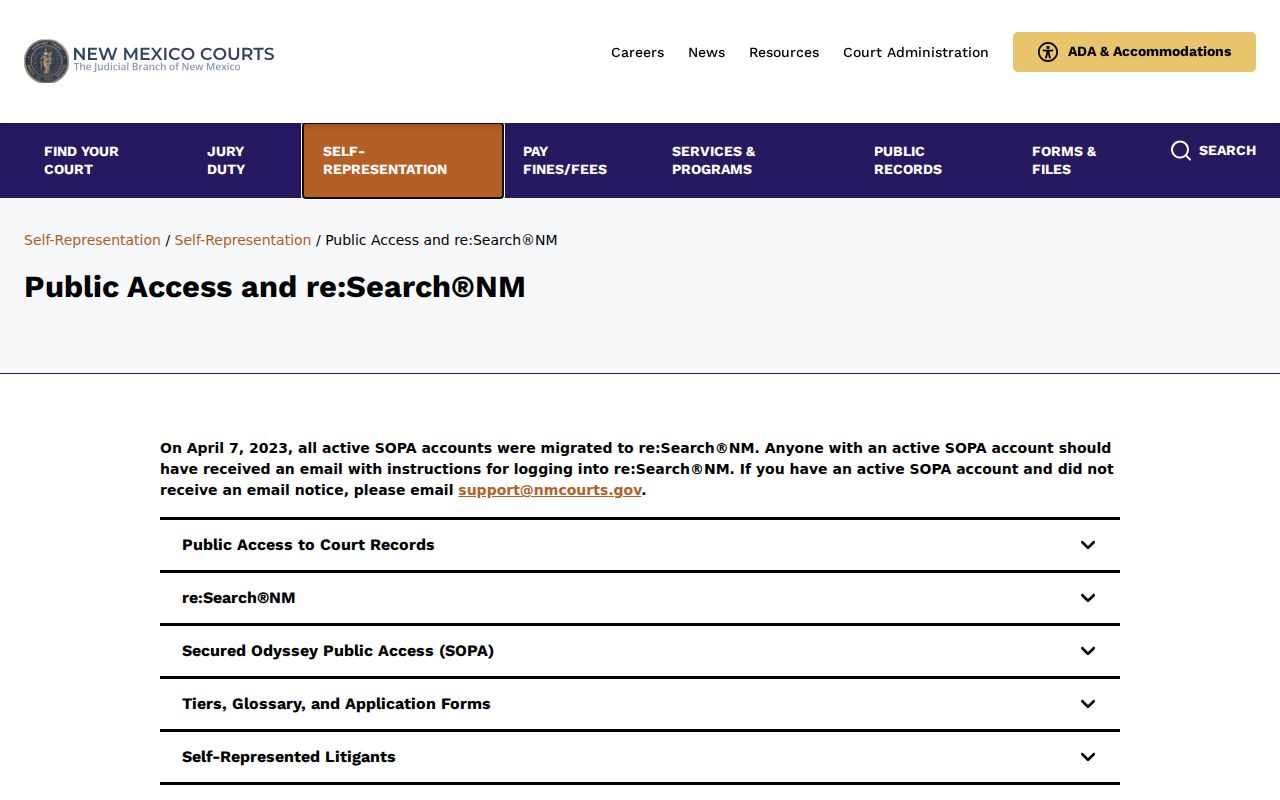
That comparison of access layers points to one practical rule. Use the proper court channel for a Quay County municipal case whenever the public search result is limited or missing.